
BSS Chat
Created on: Feb 27, 2026
PRE-REQUISITES
-
The plugin requires you to install the BSS Core plugin first.
INSTALLATION
- Go to the Order Details Page and Download plugin package
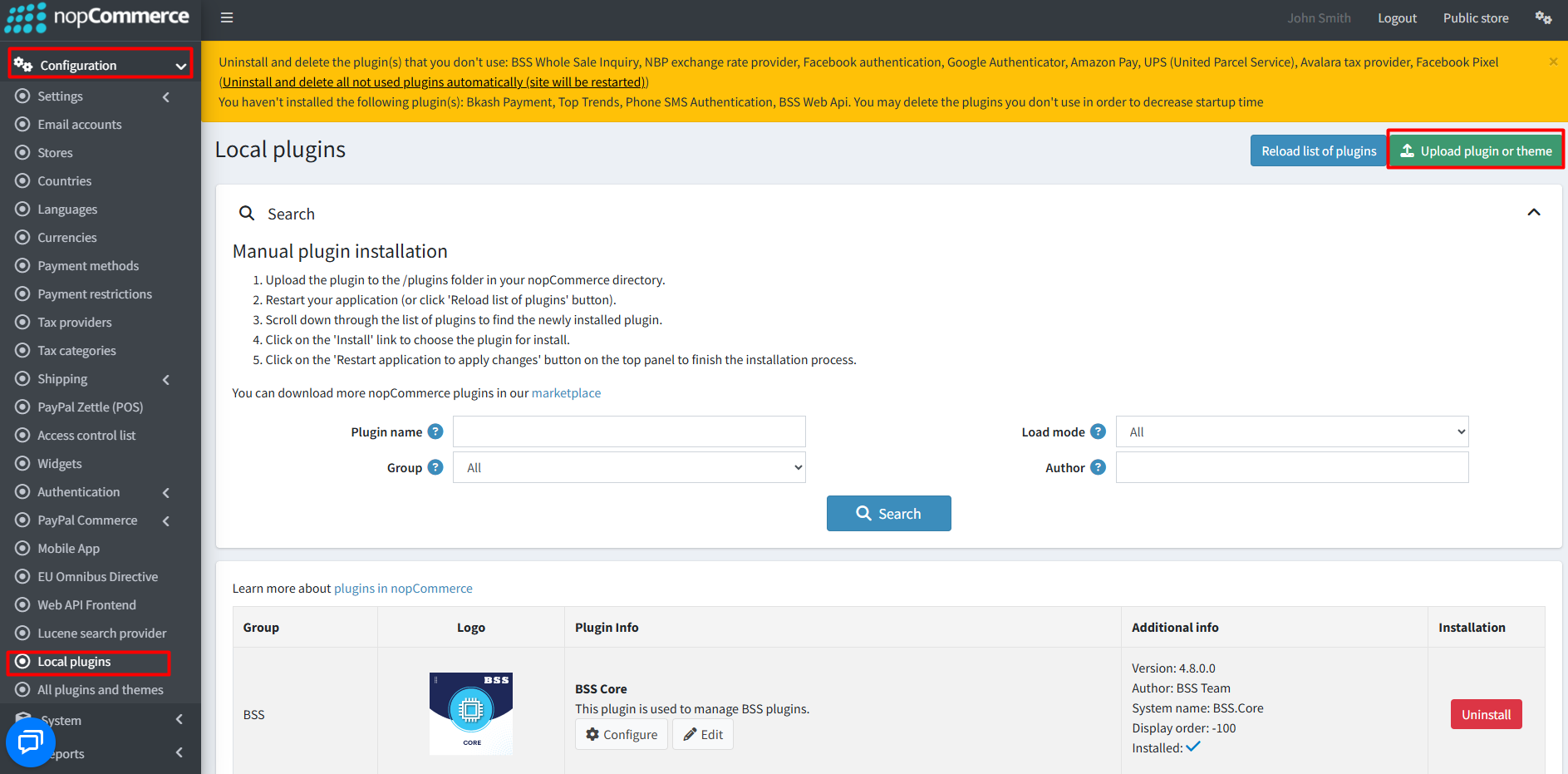
- Go to Administration → Configuration → Local plugins
- Within the bundle, you get all the required files, including BSS.Core
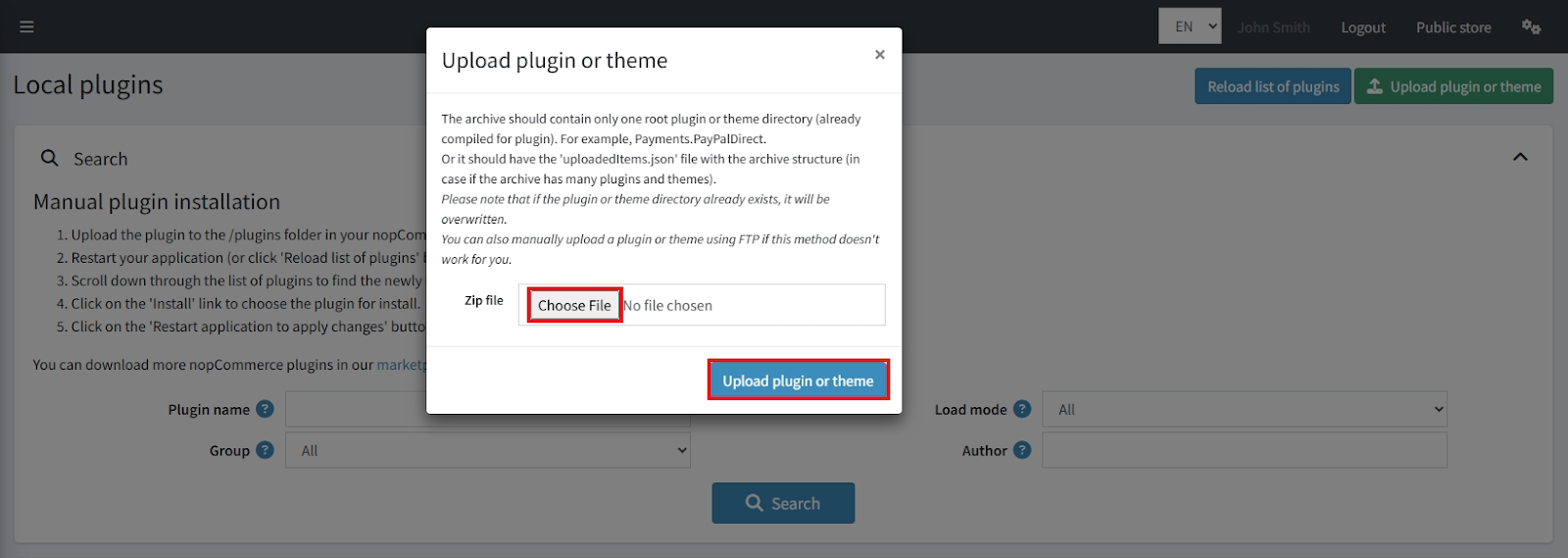
- Upload the zip files using the ‘Upload plugin or theme’ button
-
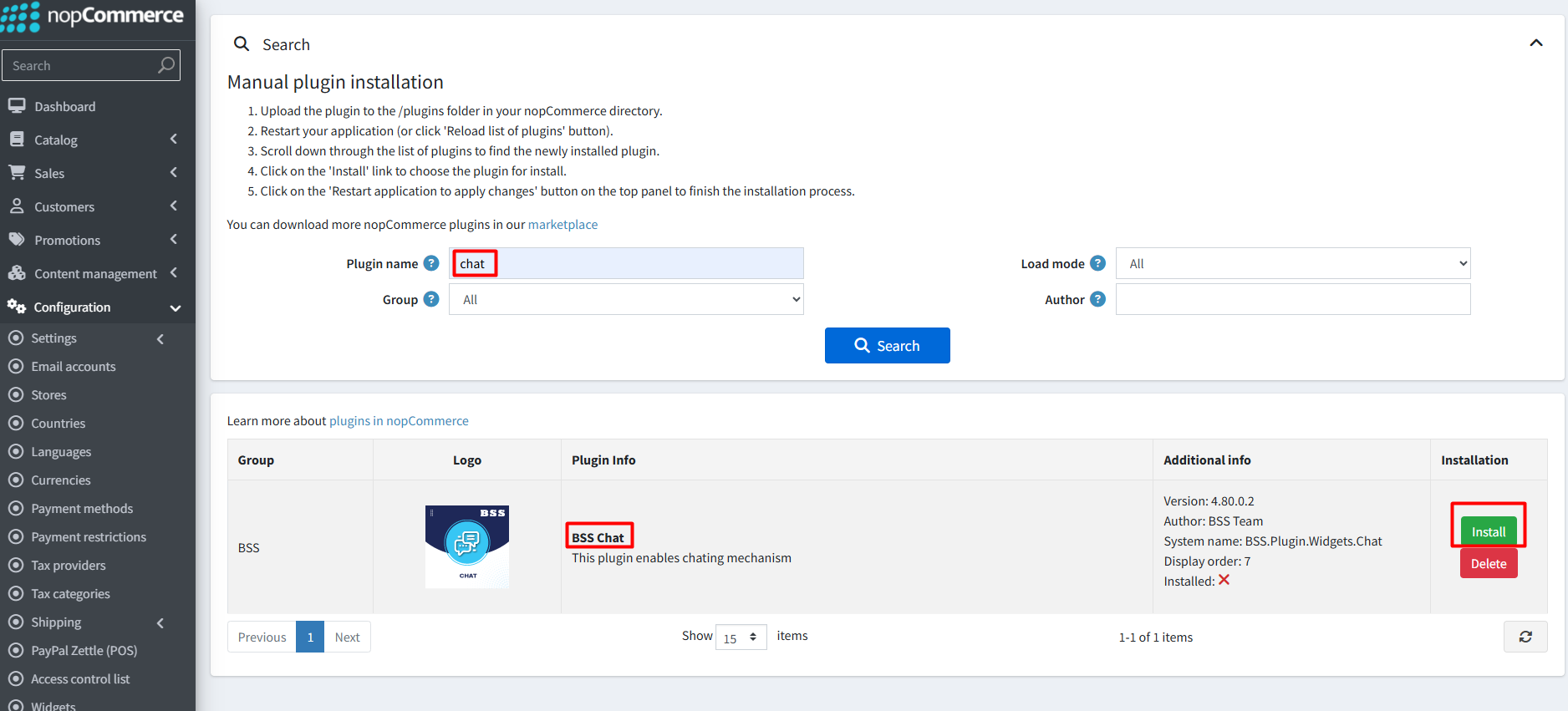
After uploading, reload the ‘list of plugins’ and install the ‘BSS Core’ Plugin first. Then find and install ‘BSS Chat’.
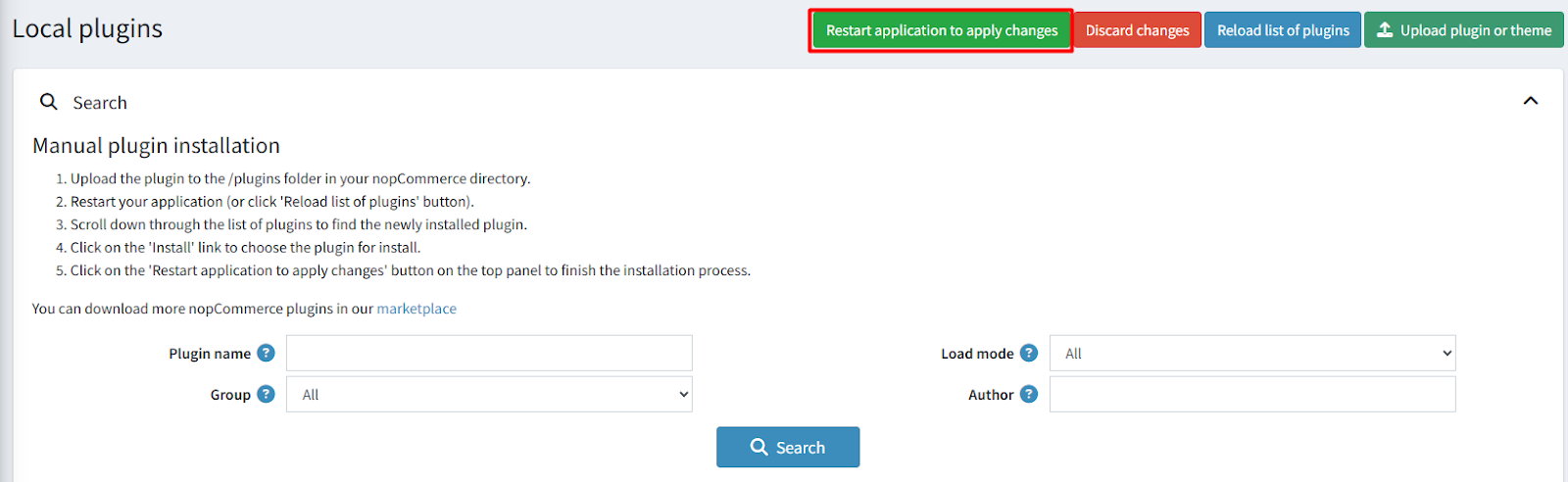
To make the plugins functional, restart the application.
Recommendation: Go to > App Settings. If you find JavaScript bundling and minification, CSS bundling and minification are checked, then uncheck these two options and disable them.

CONFIGURE
-
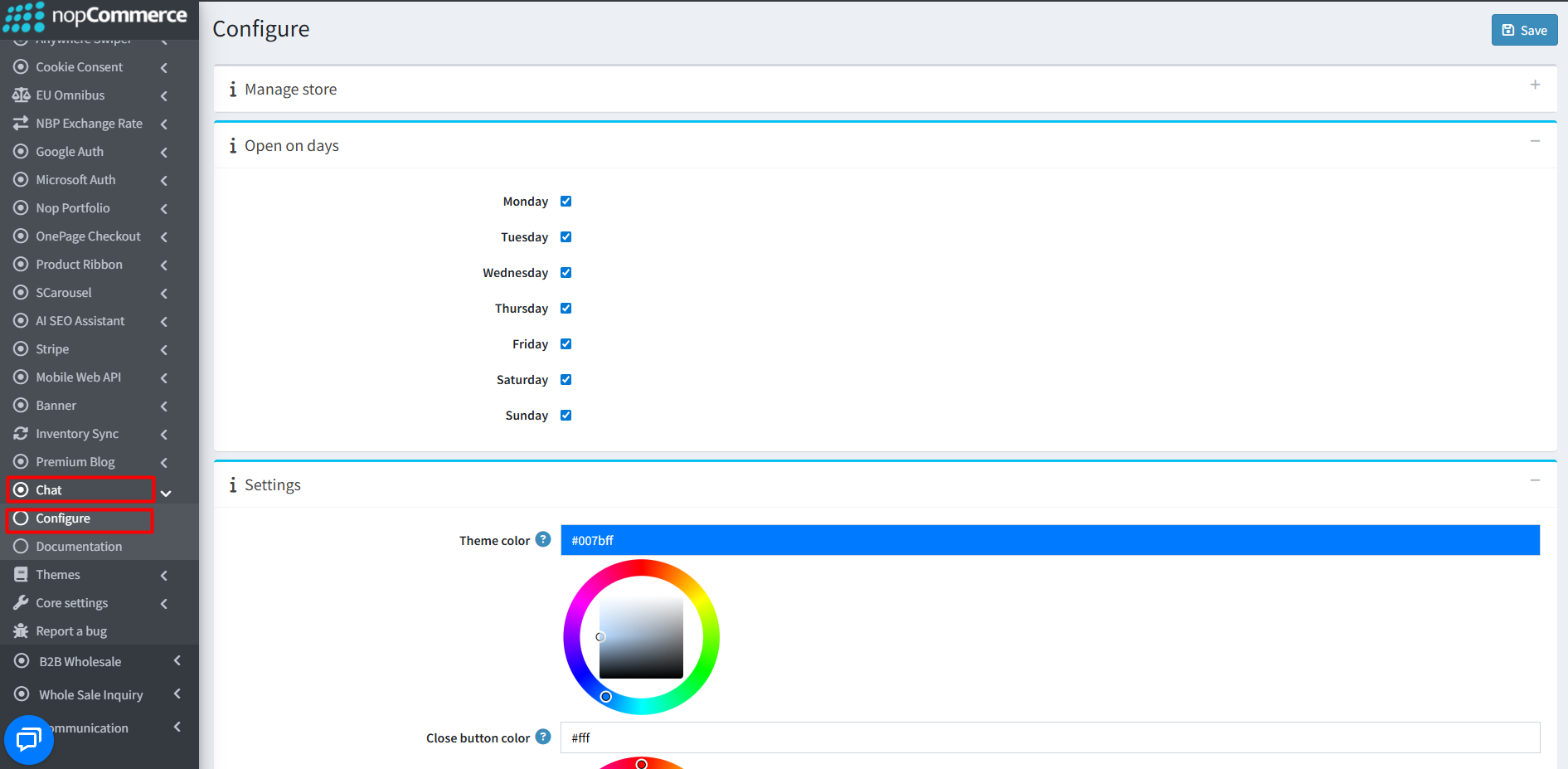
Go to Admin → BSS → Plugins → BSS Chat → Configuration
-
Enter your License string and save it.

-
Open on days: Select the specific weekdays when the chat icon should be visible to customers.
-
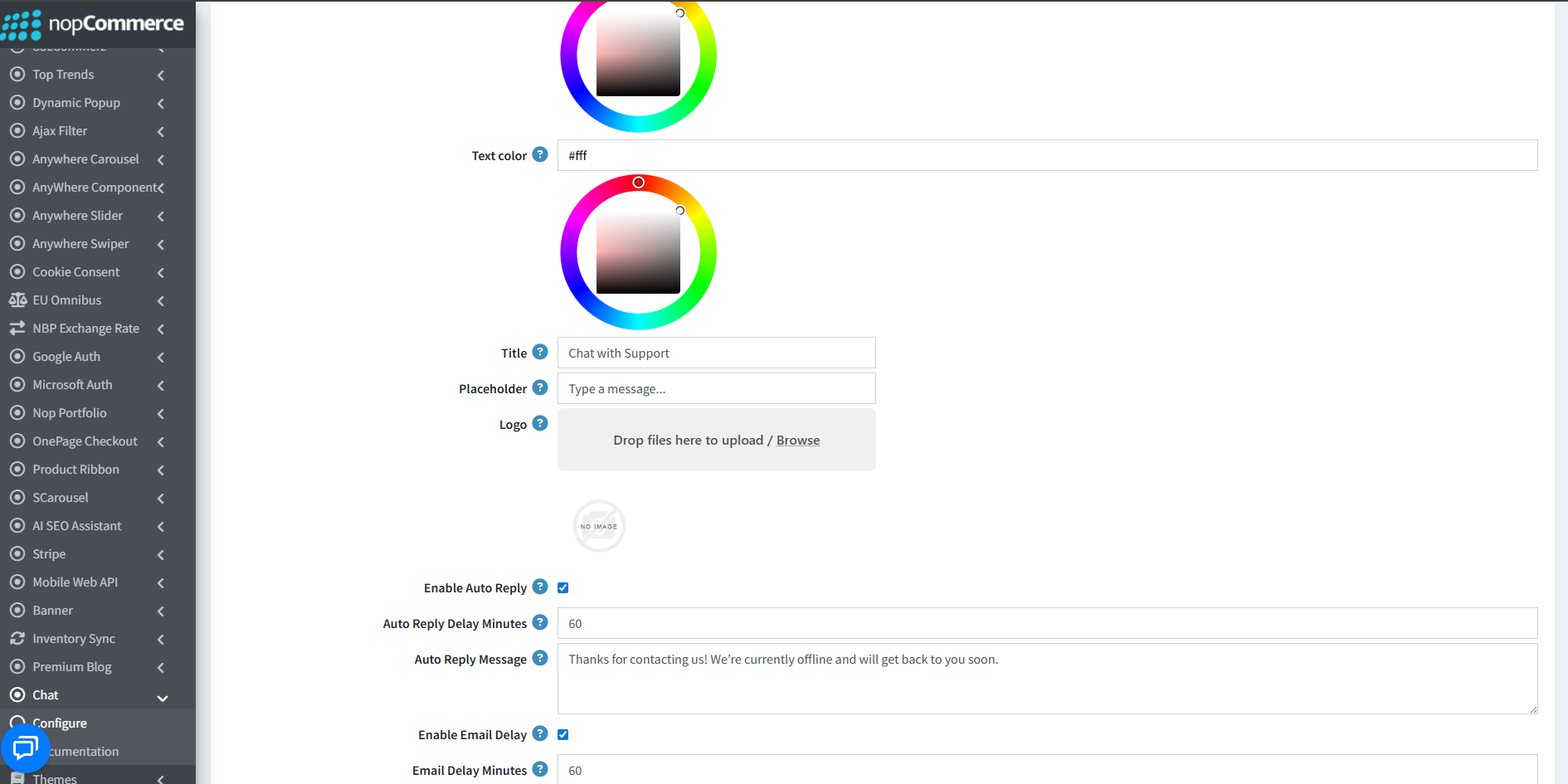
Settings: Customize the visual appearance including Theme color, Close button color, Chat icon color, and Text color.
-
Title & Placeholder: Define the chat window header title and the input field placeholder text.
-
Logo: Upload a chat logo (recommended width: 30px). This will appear beside the chat title.
-
Auto Reply: Enable automated responses to ensure customers receive immediate acknowledgement. Set the Auto Reply Delay and your custom message.
-
Email Notifications: Enable email delays to notify the store owner if a message remains unaddressed after a set period.
MESSAGES MANAGEMENT
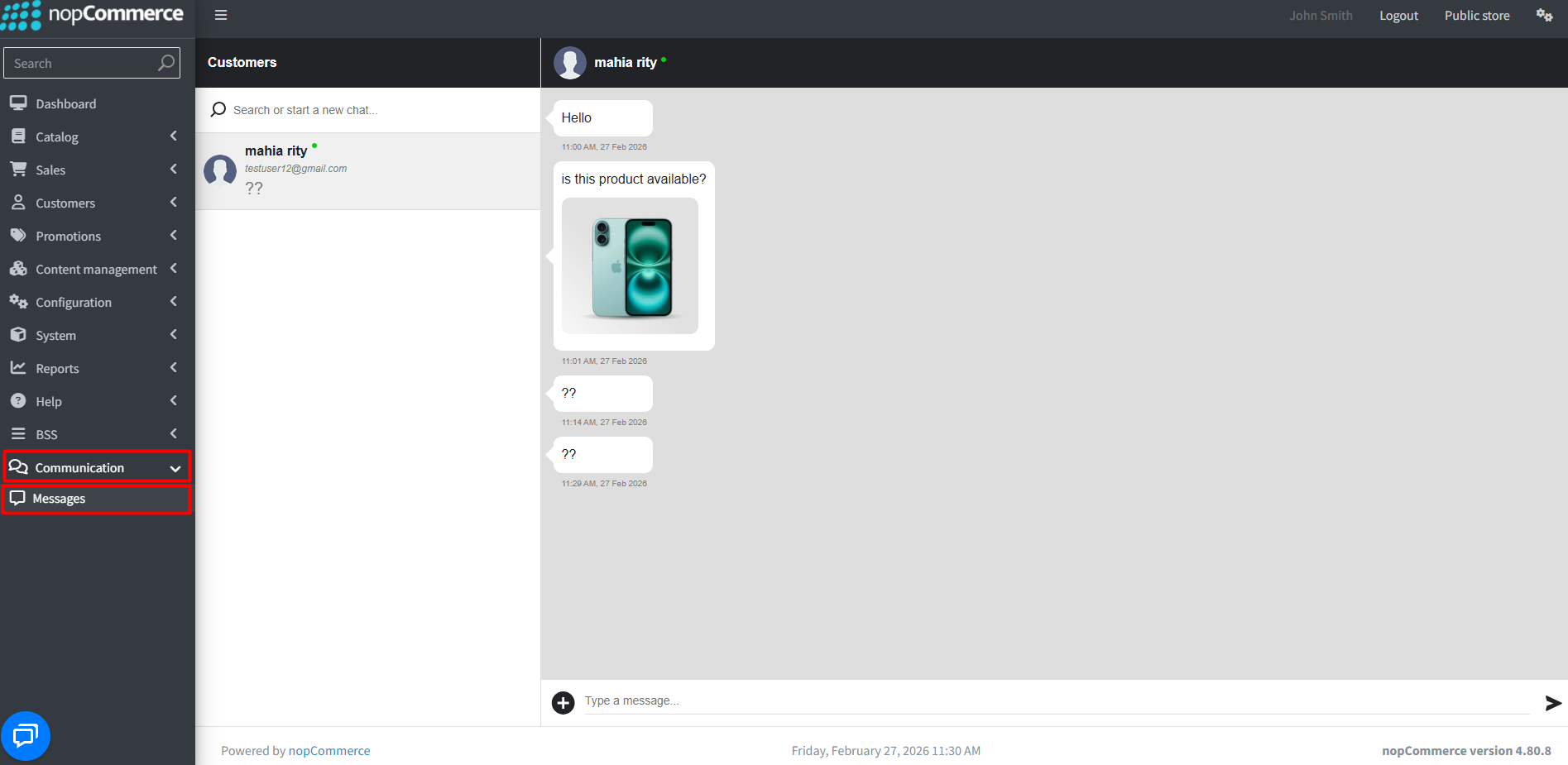
- Administrators can manage all real-time customer inquiries directly through the Messages sub-menu under the Communication section.
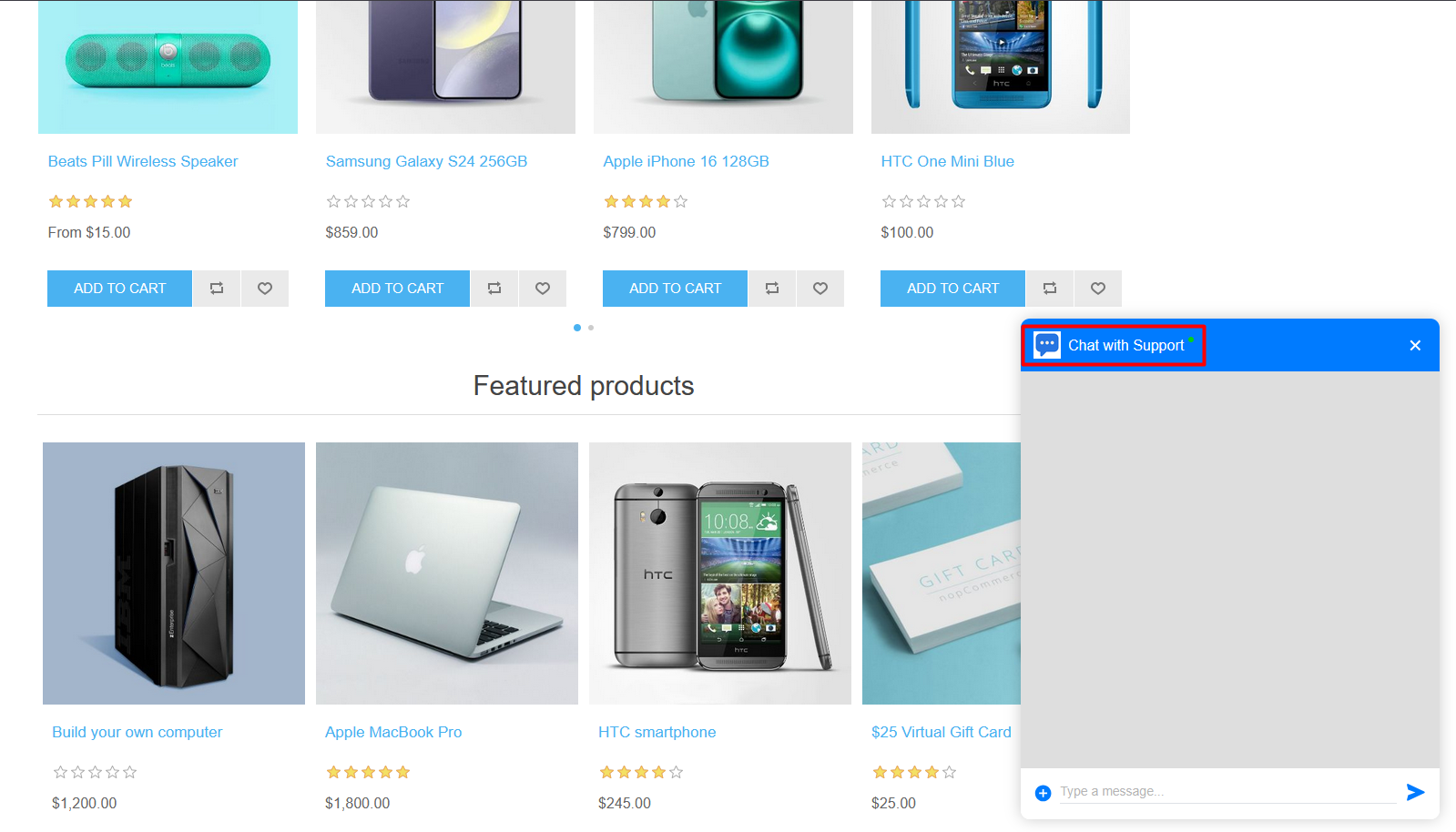
PUBLIC VIEW
Features :
- Enables real-time messaging between customers and vendors, ensuring seamless communication within your nopCommerce store.
- Customers can initiate chats directly from product details and vendor pages for quick and contextual inquiries.
- Vendors can view and reply to customer messages directly from the admin panel with centralized conversation management.
- The system provides complete chat history, customer details visibility, and support for file and image attachments within conversations.
- Store administrators can configure chat availability by setting specific weekdays for displaying the chat icon on the public store.
- It features a responsive design compatible with most nopCommerce themes and supports multi-store environments.
- The solution is fully integrated within nopCommerce, requires no third-party services or recurring fees, and is easy to install and configure.


